You may request a return for refund within 14 days from the date of delivery:
How do I start a return?
Go to the user icon on the top right of the Hilo website Hilo | Easy 24/7 blood pressure monitoring and enter your e-mail
OR
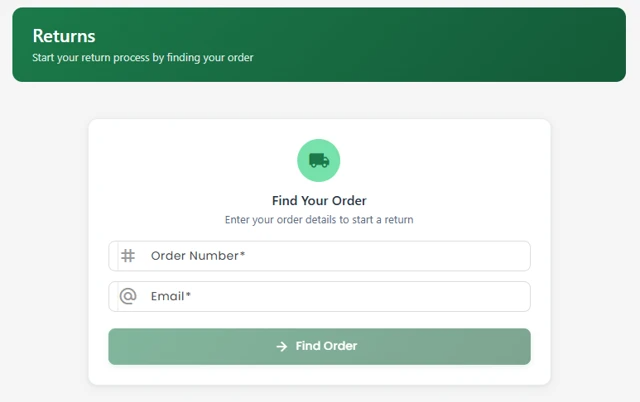
go directly to returns.hilo.comEnter your Order Number and e-mail address and press → Find Order
Select the items you wish to return.
for all return reasons you must upload a photo of the item.
Receive your return label to ship back the device

For further details, please refer to our Terms & Conditions - Chapter 9. Right to withdrawals.
⚠️ Important Information
We will refund the device and your initial payment, including the membership fee.
However, we are not able to cancel your subscription on your behalf.
If you have entered your payment details via the App Store, you must cancel the subscription directly in the App Store.
If not cancelled, the subscription will automatically renew at the next billing cycle (after 1 year) and you will be charged again.
Was this article helpful?
That’s Great!
Thank you for your feedback
Sorry! We couldn't be helpful
Thank you for your feedback
Feedback sent
We appreciate your effort and will try to fix the article